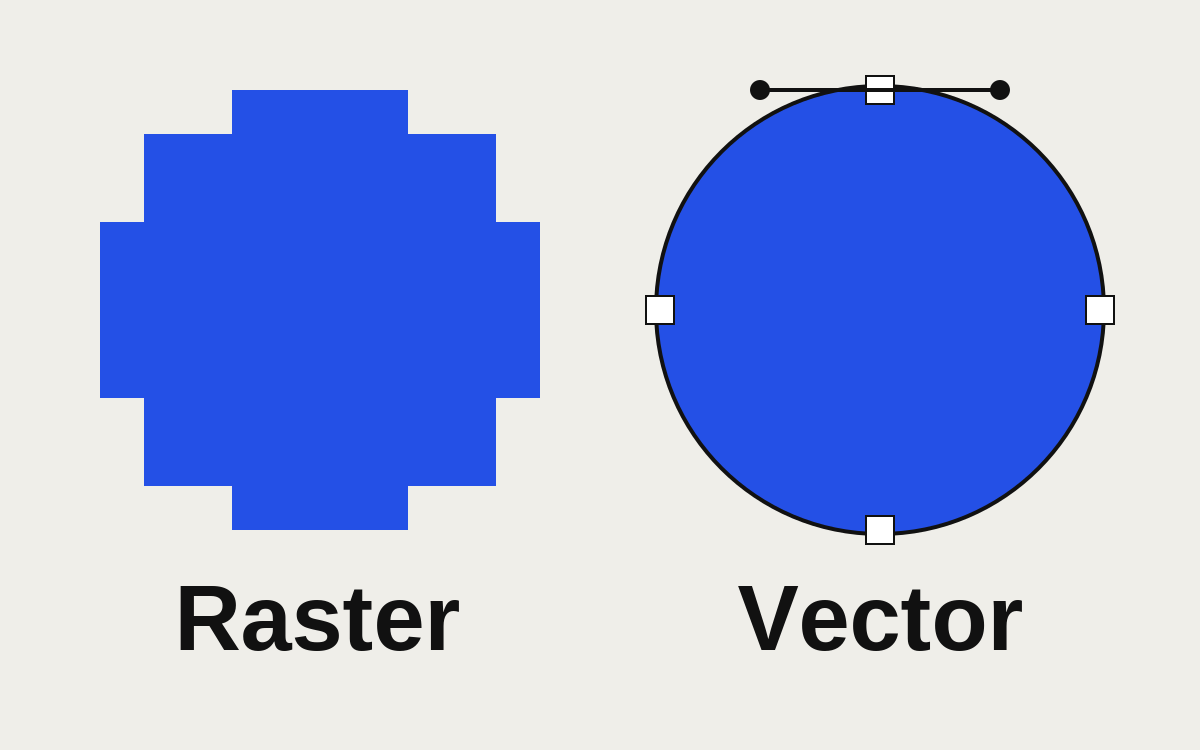
A raster image is a grid of tiny colored squares (pixels), like a photo: it has a fixed amount of detail and goes soft or blocky when it's enlarged. A vector is a set of shapes described by points and curves, like a drawing: it can be printed at any size and stays perfectly sharp. Photos are always raster, and that's fine. Logos, text and simple graphics should be vector, especially for signs, vinyl, embroidery and screen printing. The quickest test is to zoom in to 800% or more: if the edges break into squares, it's raster, whatever the file is called.
An analogy that helps
A raster image is a mosaic. Up close you see the tiles; from a distance you see the picture. You can't make a mosaic bigger without either making the tiles bigger (blocky) or inventing new tiles (guesswork).
A vector is a set of instructions: "draw a circle this size, fill it red, put the letter A here in this font." Scale it to a business card or a billboard and the instructions are simply carried out at that size.
When raster is right, and when it isn't
Raster is right for: photographs, paintings, textures, anything with soft gradients and complex detail. A photo can't be vector in any useful sense. What it needs is enough pixels for its printed size: about 300 per inch for things held in the hand, less for large signs seen from a distance.
Vector is right for: logos, type, icons, illustrations made of flat shapes, maps, charts, patterns, cut lines and anything that will be:
- printed at many different sizes
- cut from vinyl or by a plotter
- screen printed or embroidered
- foil stamped, engraved or laser cut
- used as a die line on packaging
For those jobs vector isn't a preference; the machines follow the paths in the file, and a raster image gives them nothing to follow.
The file extension doesn't tell you
This catches people out constantly. Several formats are containers that can hold vector, raster or both:
| Format | Can be vector? | Can be raster? | Typical use in print |
|---|---|---|---|
| AI (Illustrator) | Yes | Yes, as placed images | Logos, packaging, source files |
| EPS | Yes | Yes | Older standard for logos; still requested by some sign shops |
| Yes | Yes | The usual print file for almost everything | |
| SVG | Yes | Yes, as embedded images | Web graphics, cutting machines, logos |
| PSD (Photoshop) | Partly (type, shapes) | Yes | Photo-based designs, image editing |
| TIFF | No | Yes | High-quality photos and scans |
| JPG | No | Yes | Photos; compressed, no transparency |
| PNG | No | Yes | Graphics with transparent backgrounds, screen use |
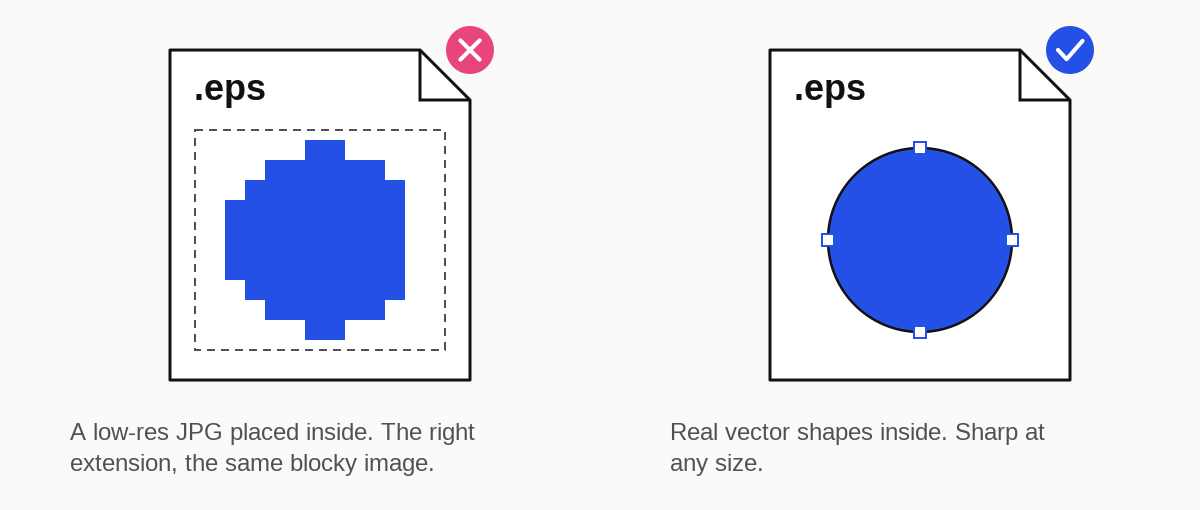
So an EPS emailed as "the vector logo" may just be a JPG placed inside an EPS wrapper. It has the extension of a vector and all the limitations of the low-resolution image inside it. The same goes for PDFs made by saving an image as PDF.
How to check what you've got
- Zoom test. Open the file and zoom to 800% or more on a curved edge. Smooth at any zoom: vector. Steps, squares or blur: raster.
- Outline view in Illustrator. View > Outline shows only vector paths as thin lines. A raster image appears as an empty box with a cross through it.
- Select it. In a vector editor, clicking a vector logo selects shapes with anchor points. Clicking a raster logo selects one rectangle, the image's bounding box.
- File size and origin. A logo that came from a website, a social media profile or an email signature is almost certainly raster.
Our print-ready checker also flags low-resolution images inside PDFs.
What printers ask for, by job
- Offset and digital print (cards, flyers, brochures): a print-ready PDF. Photos inside it are raster at 300 ppi; text and logos ideally vector.
- Large-format (banners, signs): a PDF, with photos at a resolution suited to viewing distance and logos in vector.
- Cut vinyl lettering and decals: vector only, usually AI, EPS, PDF or SVG with every shape as a closed path.
- Screen printing: vector for spot-color designs; high-resolution raster for photographic designs, which are separated differently.
- Embroidery: vector or a clean, high-resolution image, which the digitizer converts to a stitch file.
- DTF transfers: a high-resolution PNG with a transparent background, exported from vector if possible.
- Engraving and laser cutting: vector paths.
Resolution only applies to the raster parts
A vector shape has no resolution, so asking "what dpi is this logo?" only makes sense for a raster file. That's why a printer's resolution warning on a vector PDF always points at something specific: a photo, a texture, a drop shadow or a pasted screenshot inside the file. The vector text and shapes around it are fine.
It also explains a common surprise. A logo placed into a layout as a PNG stays raster, even if the layout itself is in Illustrator or InDesign. Placing it doesn't convert it; only redrawing does.
Converting raster to vector
There are two ways, and they give very different results.
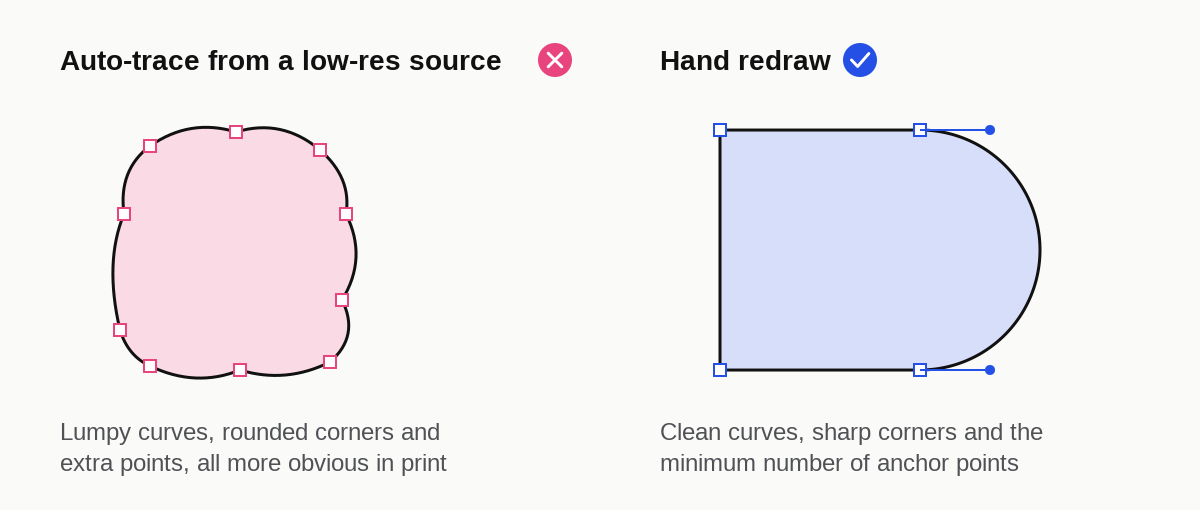
Auto-tracing (Illustrator's Image Trace or online converters) analyzes the pixels and draws shapes around them. From a large, clean image of a simple logo it can be acceptable. From a small or blurry one, it produces lumpy curves, rounded corners that should be sharp and letters that wobble, all faithfully preserved at billboard size.
Redrawing means rebuilding the logo by hand with clean curves, matching or resetting the typeface, and defining the colors. It takes longer and gives a file that's genuinely better than the original. The blurry logo fix page shows both side by side.
Converting vector to raster is easy and lossless in one direction: export a PNG or JPG at the size you need. That's why the vector should always be the master file.
A logo file set worth having
If you're paying for a logo, or have one redrawn, ask for:
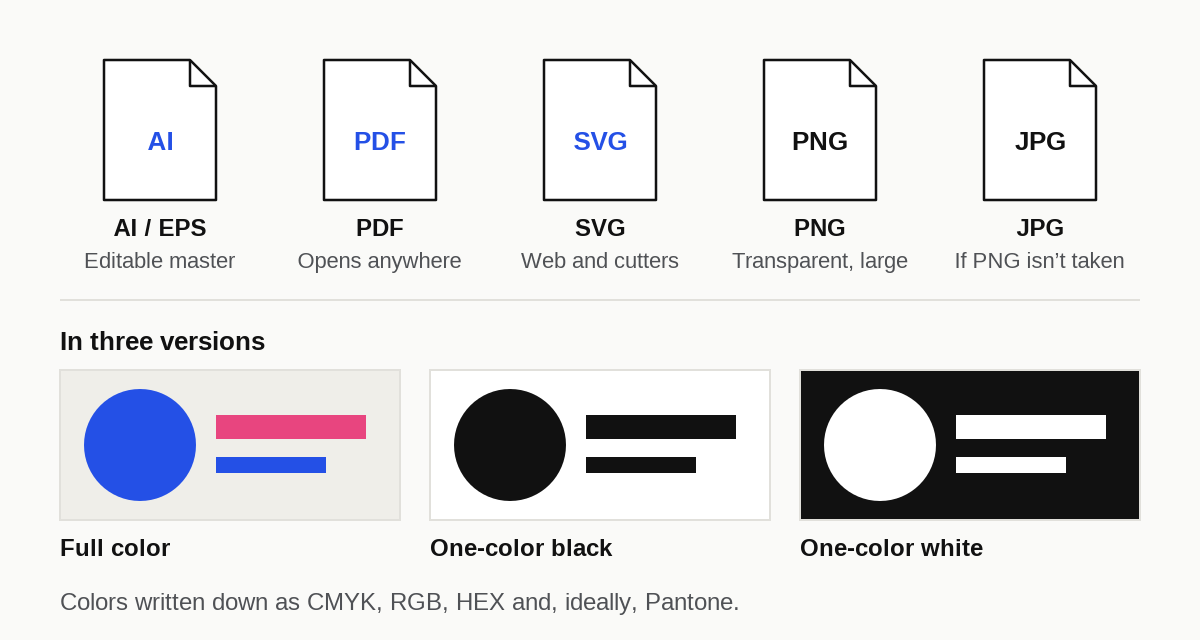
- AI or EPS: editable vector master
- PDF: vector, opens anywhere, accepted by most printers
- SVG: vector for web and cutting machines
- PNG with transparent background: for screens, documents and DTF, at a large size
- JPG: for places that don't accept PNG
And versions in full color, one-color black and one-color white, with the colors written down as CMYK, RGB, HEX and, ideally, Pantone.
No vector version anywhere? We redraw logos by hand and send back the full file set above, for a fixed $53 through our logo redraw service.
FAQ
What is the difference between vector and raster?
A raster image is made of a fixed grid of pixels, so it loses quality when enlarged. A vector image is made of mathematically defined shapes, so it can be scaled to any size without losing sharpness. Photos are raster; logos, text and simple graphics should be vector.
Is a PDF a vector file?
It can be, but not necessarily. A PDF can contain vector shapes, raster images or both. A PDF made from Illustrator usually keeps the vector artwork, while a PDF made by saving a JPG or a screenshot contains only a raster image. Zoom in to check.
Can a JPG be converted to a vector?
It can be traced or redrawn as a vector, but not simply re-saved as one. Auto-tracing works on large, clean, simple images. For small or blurry logos, a hand redraw gives a much cleaner result that prints well at any size.